|
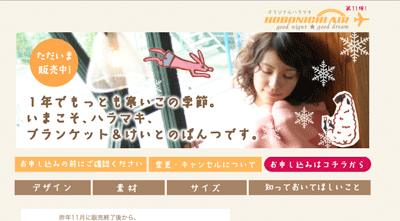
Thank you for visiting our HOBONICHI AIRLINE HARAMAKI.
Before going to shopping page, please remind following information.
・
Please check your computer whether you can type Japanese word
(Though you do not have to write correct Japanese, it needs when you fill out your information.)
・
All SHIPPING ABROAD requires credit card shopping.
・
Accepted mail, Credit card accepted mail and Shipping mail
will be sent to your email address . (which are all written in JAPANESE!)
・If you have any questions, please mail to store@1101.com.
Beacuse we are not ready for customizing to abroad buyer,
please understand for the late replying.
|
|
|
|
|
| 1. ENTER FROM HOME PAGE |
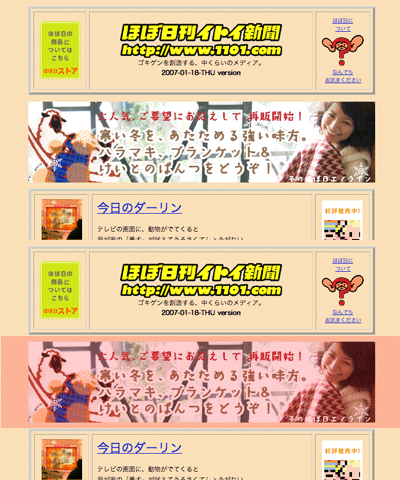 |
please enter from the big banner on the home page of HOBO NIKKAN ITOI SHINBUN.
|
|
| 2. CLICK THE SHOPPING BUTTON |
 |
On the Top page, you can find red button on the right side of first bar.

This is the button
to go to the shopping cart.
|
|
3.CHECK THE DESIGN AND
ENTER THE AMOUNT OF PRODUCTS. |
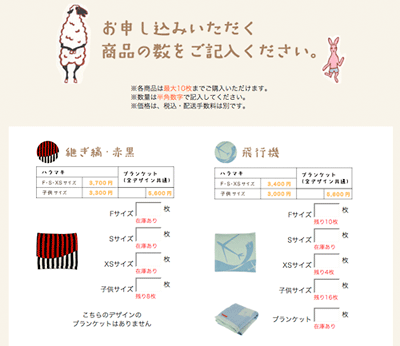 |
please check the design,
and put the amount of each product on the right box of each size.
from top:
size F (west 70~10cm)
size S (west 60~75cm)
size XS (west 50~63cm)
size C
(west 45~55cm)
after you decided,
click the button below on the page.
*Small red words are the stock amount, if you put over amount,
it brings back to the shopping form again. Please check your order.
|
|
| 4.LOG- IN "Store Note" |
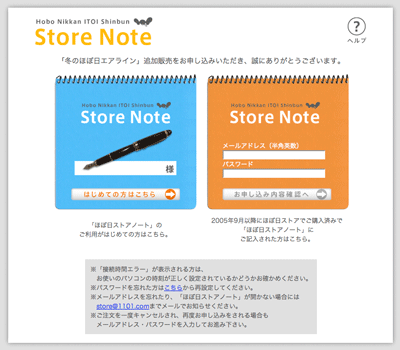 |
please log in "Store Note" .
If you buy product first time in our site, click the button on the blue note to get your account
.
If you had bought s/t from our site, please put your email-address, and pass. Then,click the button below.
Once you log-in the "Store Note",
you do not have to get new account for next time shopping.
|
|
| 5.Agree with the terms of use |
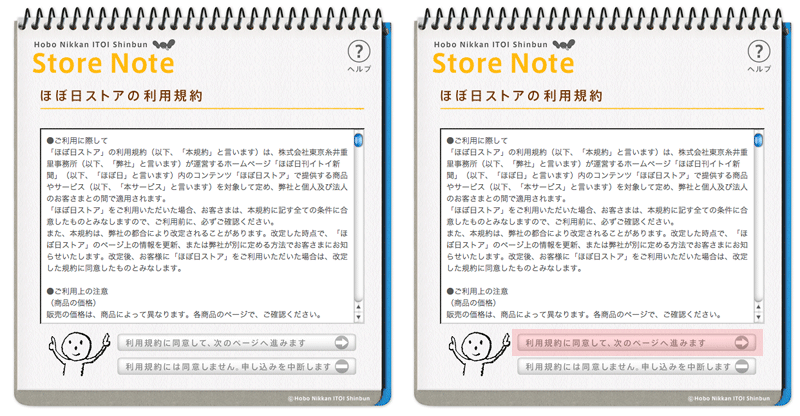 |
please agree with the terms of use.
|
|
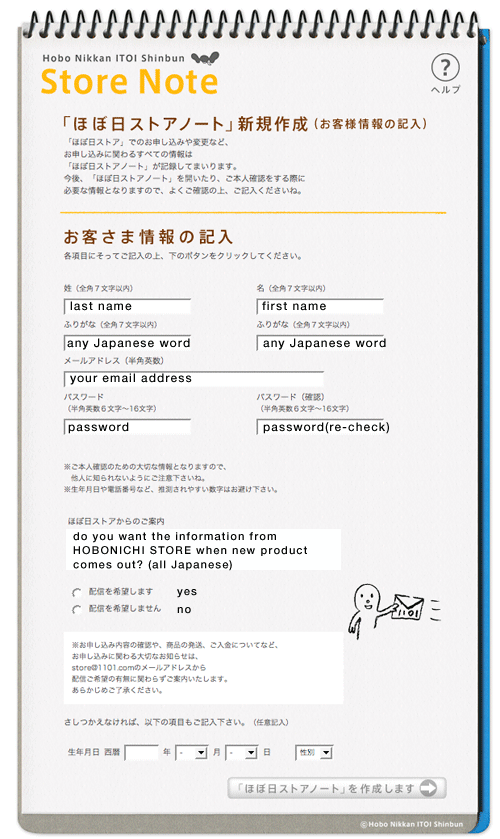
| 6.Fill out your information . |
please fill out all information below.
<In "any Japanese word" place>
After changed your typing language in Japanese,
Please copy below words
; ほぼにちすとあ
(this words may look garbage characters....)
|
 |
|
| 7.COMPLEATED ANOUNCEMENT |
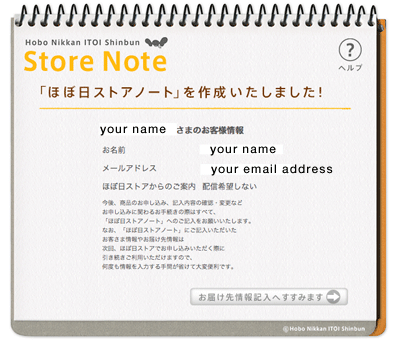 |
check your name and e-mail address.
click button for next step.
|
|
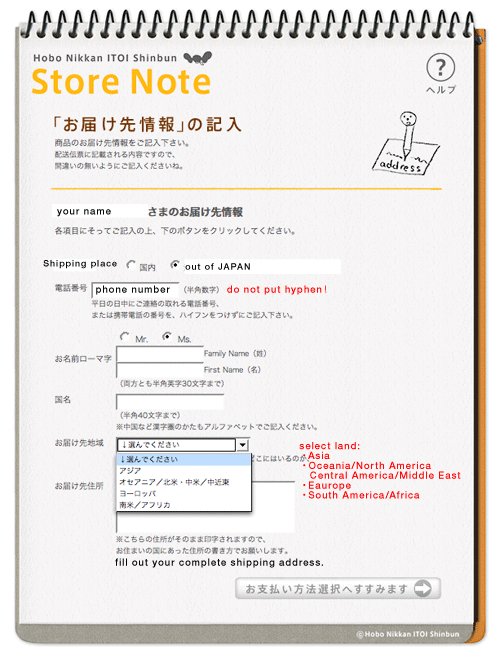
| 8.FILL OUT THE SHIPPING ADDRESS |
Fill out your shipping address.
All abroad shipping will be send by EMS Service.
The shipping price is different by region,
Please check your shipping price here.
|
 |
|
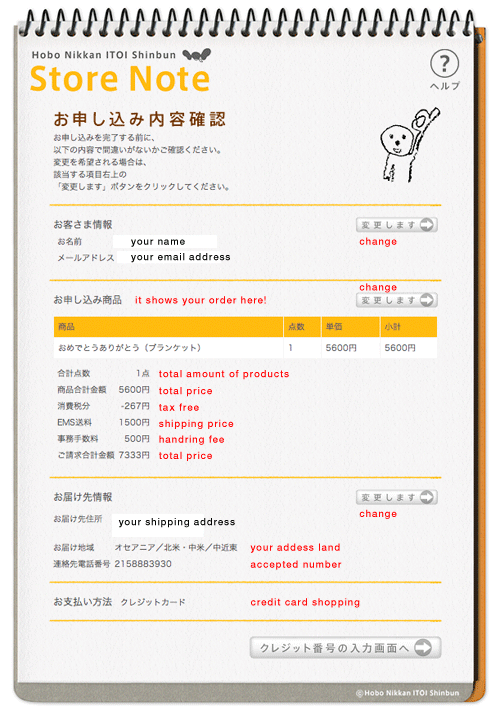
| 9.CHECK SHOPPING INFORMATION |
|
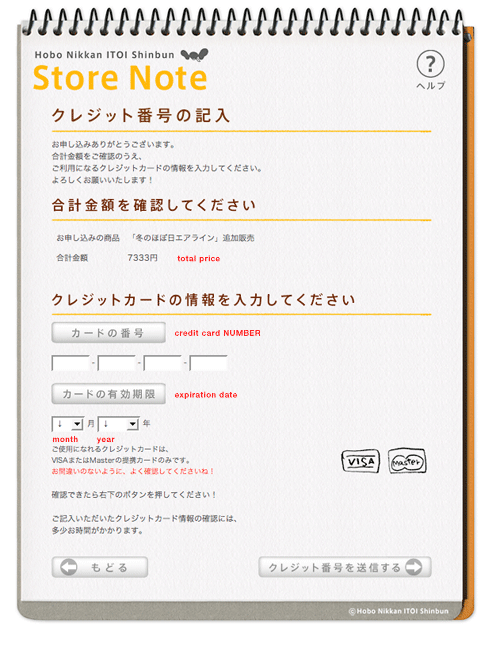
| 10.FILL OUT CREDIT INFORMATION |
|
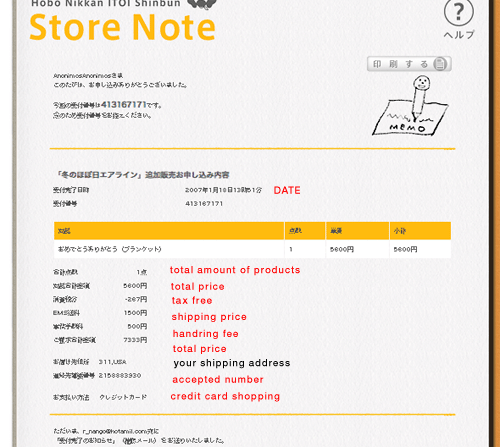
| 11.ACCEPTED YOUR ORDER |
Finally, your shopping is completed!!
All your information will be send to your email account,
please re-check your JAPANESE mail as well.
If you have any questions , please mail to store@1101.com .
|
 |
|
 |
|
|